NEXUS Boot Sequence

Nexus - MTA Division Operations webOS V1.85B

Initializing Nexus command modules, supervisor tools, management systems, and MTA Division operational controls.

0% Starting systems...
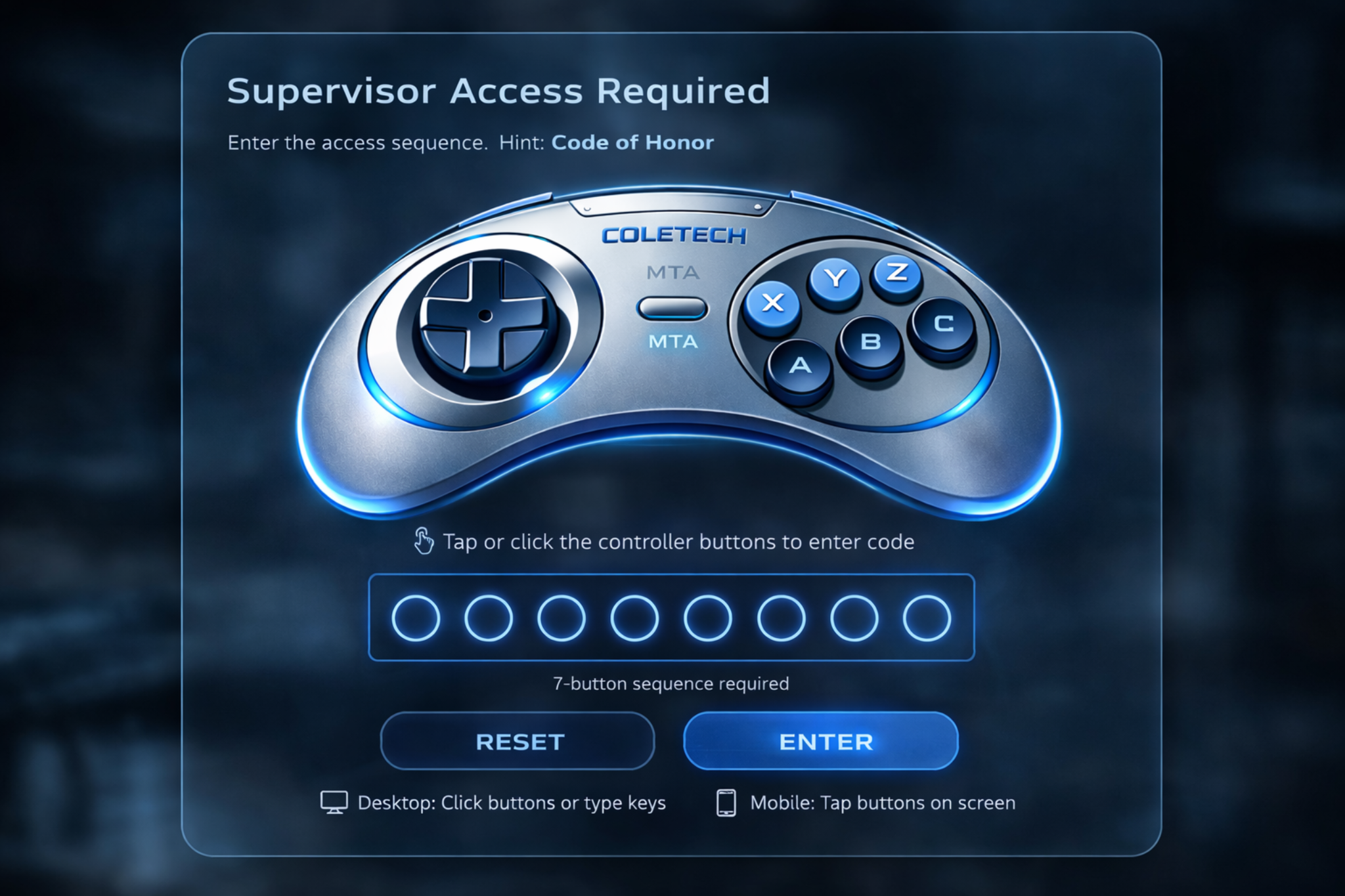
Enter the access code to begin the boot sequence. Current boot password: cole1!
NEXUS Operations banner
The Future, is now
Management Dashboard
⚡ Created & Managed by Michael Cole
Version 1.85 Beta
Live Fly News Updated 9:17 AM
Live
Nexus 1.85b live operations board online.Developer Access can update managers, alerts, sounds, and guide assets in real time.Alpha branch template builder is ready for Nexus 1.9 planning.MTA Reduction 5/1 - Standby for more details!Nexus 1.85b live operations board online.Developer Access can update managers, alerts, sounds, and guide assets in real time.Alpha branch template builder is ready for Nexus 1.9 planning.MTA Reduction 5/1 - Standby for more details!
Help Section
📞Call IT - (484) 351-1568 💻Mercury Personal Edition Lisa / Mercury Help Help 🛡Guard Support 📅Schedule a Meeting
Alerts
Monday, 04/20/2026, 09:19:19 AM EST
Live Eastern Time visible to all managers after boot.
9:00 AM-10:00 AM - Ad-x and Schedule Corrections.Active right now
No custom alerts saved yet.
Add Guard to Tracker QR Code
Add Guard to Tracker
Uniform Request QR Code
Uniform Request
MTA Application QR Code
MTA Application
New Hire Form QR Code
New Hire Form
Transfer Request Form QR Code
Transfer Request
Open the guard transfer request form for borough, shift, and site change requests.
Use for onboarding and access requests
🚨 DISCIPLINARY HUB
⚖ Disciplinary Actions
🧰 Equipment Tracker
💳 MTA Card Services
Equipment Return Tracker QR Code
🧰 Equipment Return Tracker
Scan or tap below to open the Equipment Return Tracker form.
MTA Card Return/Renewals
Email the full operations team for card issues. Use buttons below.
CONTACT MANAGEMENT
GUARD INFORMATION
Quick access buttons for guard reference information.
Nexus 1.85b

Developer Access

Private control center for live manager updates, supervisor email routing, guard-card assets, global sounds, alerts, and the first Nexus Alpha branch template generator.

Live Fly News + Alert Programming

Control the news ticker on the main page and keep the alert programmer in sync.

Manager Directory Control

Add, edit, or remove managers here. This live roster drives the comms hub, QR cards, contact-all routing, ops CC lists, dropdowns, and boss-menu hierarchy.

Steve Pastor

Client Manager

Client Manager Comms Hub Ops CC

Michael Cole

Project Manager

Project Manager Comms Hub Ops CC

Eric L. Rodriguez

Operations Manager

Operations Manager Comms Hub Ops CC

Javier Sepulveda

Operations Manager

Operations Manager Comms Hub Ops CC

Shabana Elvy

Field Manager

Field Manager Comms Hub Ops CC

Hector Reyes Jr.

Field Manager

Field Manager Comms Hub Ops CC

Add New Manager

Supervisor Email Routing

Use one email per line. These lists drive AM, PM, and all-supervisor mailing tools.

Global Sounds + Guard Assets

Paste hosted links to replace sounds or the SOE / guard information visuals globally.

Guard Information Builder

Branch templates now keep only Lisa and Lisa Rules by default. Add extra guard reference buttons here with an image link, document link, or local image upload converted into the page.

No extra guard references yet. Lisa and Lisa Rules will still stay available.

Add Guard Reference

Section + Hub Manager

Turn built-in hubs on or off and add your own homepage sections with QR cards, links, and buttons.

Onboarding / QR Forms

Disciplinary Hub

Contact Management

Guard Information

No custom sections added yet.

Add Custom Section

Branch + Intake Builders

Launch the guided builders below. They open as a clean in-app setup flow, ask the branch questions in plain English, and export a finished file without showing raw code.

Nexus Branch Setup Wizard

Nexus Setup

Use this setup flow to clone the current Nexus OS into a new branch build with branch-specific managers, routing, tool links, and tracker modules.
1. Branch Identity
2. Managers + Routing
3. Tools + Modules
4. Export

Branch Identity

Setup Questionnaire
Tell Nexus who this branch is, then answer the manager questionnaire below. When you hit next, the branch code is generated automatically and the manager cards are built for you.
Welcome Setup Prompt
Who are your managers, what are their titles, and what are their emails? Add each person below like a guided questionnaire.
Manager 1
Role
Routing

Manager Cards + Routing

App Within The App
These cards are built automatically from the manager questionnaire on the prior screen. Adjust colors, hierarchy, announcements, and routing here.
Joseph PesciOps
Joseph.Pesci@aus.com

Joseph Pesci

OpsOps CCComms Hub

Tools + Modules

Branch Tools
Select which trackers this branch would like to include, then wire in the live links they need for daily use.
Master Excel Requirement
A Master Excel sheet must be created and stored inside a OneDrive folder for this branch. Build one workbook with a separate tab for each tracker selected above. Email ColeTech support for setup instructions, automation help, and template guidance: Michael.Cole@aus.com.

Export Branch Build

Your branch file will replicate the current Nexus page and preload the branch-specific managers, routing, hierarchy, tool links, ticker updates, and the slimmer Lisa-only guard info base.
Branch setup details will appear here as you build the page.
Nexus Candidate Intake Builder

Candidate Intake

Build a branch-specific new-candidate form with manager routing, department assignments, job presets, and orientation instructions.
1. Form Identity
2. Routing
3. Candidate Fields
4. Export

Form Identity

Clean Start
This builder resets when you open it so every branch can start fresh without old data hanging around.

Manager Routing

Smart Routing
Choose which managers should receive or review this form. Routing is generated automatically from the questionnaire selections below.

Candidate Fields + Presets

Field Questionnaire
Build this intake the same way your post-orientation form works: choose the sections you want, then add any branch-specific presets or extra questions.
Books Of Business / Departments
Select the business lines or departments this form should capture.
Job Presets
Create clean preset cards the branch can use for schedules, job descriptions, and placement standards.
Extra Intake Questions
Choose common intake questions from your current form and add anything branch-specific below.

Export Intake Form

Supervisor Menu

DAR Scanner

Roll Call Summary

Build station visit summaries, staffing updates, missing-guard counts, and roll call notes for operations leadership.

Use this for quick reporting after a site visit, coverage check, or station walkthrough.

Disciplinary Summary Builder

Create clean disciplinary summaries and supervisor-ready incident write-up drafts.

Built for fast documentation, follow-up, and escalation support.

Station Roster Builder

Open the official station roster builder for MTA operations, posts, and staffing assignments.

Use this for roster building, post assignments, station planning, and staffing layouts.

DAR Scanner

Scan DAR text for common errors like missing timestamps, unclear entries, and short incident notes.

Paste DAR text and get a quick quality/error check before submitting.

Station Command Center

Open the live station coverage command center directly inside the supervisor menu or launch it in its full standalone page.

Built to stay usable on phone while still giving supervisors an in-menu browser view.

Supervisor Email Groups

Quick access to AM and PM supervisor email groups with the proper CC routing already prepared.

Use this section when you need to notify the supervisor teams fast.
Email in Outlook
Build a summary to preview it here.
Team
AM
Recipients
18
CC Count
2
Station
-

Automatic Write-up Tool

Jump directly into your existing write-up section from here.

Disciplinary Summary Builder

Built directly into the supervisor menu for quick write-ups and summary emails.

Email Summary
No disciplinary summary built yet.

Station Roster Builder

Official station roster builder tool for MTA operations, post assignments, and roster management.

Use this as the official roster builder for station rosters, post assignments, and staffing plans.

Station Command Center

This runs inside the supervisor menu like a browser-in-browser panel, with a direct-open fallback for full-page use.

Open Full Station Command Center

AM Supervisors

Opens an email to the AM supervisor group and CCs Shabana and Michael.

TO: alvin.wedgeworth@aus.com, alma.serrano@aus.com, isaius.graham@aus.com, Alieu.Sheriff@aus.com, quenetta.taylor@aus.com, anderson.romero@aus.com, john.ramirez@aus.com, curtis.small@aus.com, tyree.blassingame@aus.com, elizabeth.sinclairwh@aus.com, robert.garcia@aus.com, shenny.ram@aus.com, ahmed.derkaoui@aus.com, jahrell.brown@aus.com, shamel.moore@aus.com, latoya.artis@aus.com, jonathan.dasher@aus.com, ashanti.patterson@aus.com CC: shabana.elvy@aus.com, michael.cole@aus.com

PM Supervisors

Opens an email to the PM supervisor group and CCs Hector and Michael.

TO: Kip.Kirby@aus.com, francis.ramirezgomez@aus.com, kilcy.conde@aus.com, brehima.konate@aus.com, colin.miller@aus.com, unirih.enriquez@aus.com, makis.matos@aus.com, michael.m.mclaughlin@aus.com, jason.moorejr@aus.com, mustafa.abdurrahim@aus.com, orlando.diaz@aus.com CC: hector.reyesjr@aus.com, michael.cole@aus.com

Email AM Sups + All Ops

Opens one email with AM supervisors plus Michael, Eric, Steve, and Javier.

TO: alvin.wedgeworth@aus.com, alma.serrano@aus.com, isaius.graham@aus.com, Alieu.Sheriff@aus.com, quenetta.taylor@aus.com, anderson.romero@aus.com, john.ramirez@aus.com, curtis.small@aus.com, tyree.blassingame@aus.com, elizabeth.sinclairwh@aus.com, robert.garcia@aus.com, shenny.ram@aus.com, ahmed.derkaoui@aus.com, jahrell.brown@aus.com, shamel.moore@aus.com, latoya.artis@aus.com, jonathan.dasher@aus.com, ashanti.patterson@aus.com, Steve.Pastor@aus.com, Michael.Cole@aus.com, Eric.l.Rodriguez@aus.com, Javier.Sepulveda@aus.com, Shabana.Elvy@aus.com, Hector.reyesjr@aus.com CC:
Email PM Sups + All Ops

Opens one email with PM supervisors plus Michael, Eric, Steve, and Javier.

TO: Kip.Kirby@aus.com, francis.ramirezgomez@aus.com, kilcy.conde@aus.com, brehima.konate@aus.com, colin.miller@aus.com, unirih.enriquez@aus.com, makis.matos@aus.com, michael.m.mclaughlin@aus.com, jason.moorejr@aus.com, mustafa.abdurrahim@aus.com, orlando.diaz@aus.com, Steve.Pastor@aus.com, Michael.Cole@aus.com, Eric.l.Rodriguez@aus.com, Javier.Sepulveda@aus.com, Shabana.Elvy@aus.com, Hector.reyesjr@aus.com CC:
Email All Sups + Ops

Opens one email with every AM and PM supervisor plus Michael, Eric, Steve, and Javier.

TO: alvin.wedgeworth@aus.com, alma.serrano@aus.com, isaius.graham@aus.com, Alieu.Sheriff@aus.com, quenetta.taylor@aus.com, anderson.romero@aus.com, john.ramirez@aus.com, curtis.small@aus.com, tyree.blassingame@aus.com, elizabeth.sinclairwh@aus.com, robert.garcia@aus.com, shenny.ram@aus.com, ahmed.derkaoui@aus.com, jahrell.brown@aus.com, shamel.moore@aus.com, latoya.artis@aus.com, jonathan.dasher@aus.com, ashanti.patterson@aus.com, Kip.Kirby@aus.com, francis.ramirezgomez@aus.com, kilcy.conde@aus.com, brehima.konate@aus.com, colin.miller@aus.com, unirih.enriquez@aus.com, makis.matos@aus.com, michael.m.mclaughlin@aus.com, jason.moorejr@aus.com, mustafa.abdurrahim@aus.com, orlando.diaz@aus.com, Steve.Pastor@aus.com, Michael.Cole@aus.com, Eric.l.Rodriguez@aus.com, Javier.Sepulveda@aus.com, Shabana.Elvy@aus.com, Hector.reyesjr@aus.com CC: